
Summary
In this blog post, I want to share how a hiker can easily and effectively capture trail-maintenance needs with just their smartphone. This applies when the trail does not have a defined process for reporting maintenance needs, though this could be used in conjunction with other processes. It took me a couple of attempts to work out how to do this most efficiently. In summary, having taken a photo of each obstacle while hiking, I added them, with embedded location information, to a custom Google map by importing from a Google photo album. Each photo was automatically placed at the correct location on the map. I changed the photo’s icon and added a description of the obstacle. Knowledge of obstacles helped inspire their removal, facilitating subsequent brushblading and mowing.

Introduction
National Forest trails are a fantastic resource for hikers. As they are in the forest, trees will get blown down across the trail, and clearing them is up to local volunteers. Some trails have large, well-organized volunteer organizations where individuals adopt sections throughout the trail and respond quickly to reports of downed trees. Major weather events trigger multi-day responses. Examples with significant volunteer support organizations include the Appalachian Trail, the Colorado Trail, Arkansas’s Ouachita Trail, and Texas’s Lone Star Hiking Trail. Not all trails have such a high level of support.
The Goal: Clear Trails
Living in Houston, Texas, I had my eye on two local trails: the 27-mile Trail Between The Lakes (TBTL, link to website), and the 20-mile Four C National Recreation Trail (4C, link to my guide). Both had reports of many trees across the trail. Before tackling the TBTL, I asked Brian, the volunteer trail maintenance coordinator, how I could help. He suggested I take a photo of any significant obstacles, noting the approximate diameter and the nearest mile marker or trailhead. I completed the hike, weaving my way through lots of fallen trees, with a few that needed a significant walk around. I ended up with 500 photos, lots of poor notes, and a determination to help this trail get to “zero obstacles.” But what next? I found that my photos were of limited use and my field-notes made little sense, but I worked with the trail’s maintenance volunteers where I could. I thru-hiked the trail again about six months later, determined that I was going to capture better data. This more useful survey enabled a few effective workdays with other maintainers, after which I was able to declare the trail clear of every obstacle that I had encountered on my hike.
The Problem
Clearing a fallen tree often needs a saw. The size of the fallen tree determines the size of saw, from a pruning saw (if even needed) to a chainsaw with an appropriate bar length. Chainsaws, with the necessary additional equipment, are HEAVY. The Forest Service wisely stipulates strict training and operational requirements on using a chainsaw, so available and USFS-qualified chainsawyers are a valuable resource. A report of a tree, between 10 and 25 inches in diameter, somewhere along a three-mile stretch of trail, does not encourage someone to lug all their equipment into the forest. Often, obstacles are not reported, being discovered during other trail maintenance operations, such as brushblading or mowing, and hampering those efforts.
After weather events, the number of obstacles needing to be addressed is overwhelming. On the TBTL, the summary of an earlier report from 2020 had reported over 500 obstacles thus:
“Tree obstacle count:
I counted anything I had to step over, around, or under as an obstacle. This counts a tree across the trail only about 6 inches across up to a complete unnavigable tangle. I’d say about half of the total were significant obstacles.
– Mile markers 0-4: 150 obstacles
– Mile marker 4-10: 140 obstacles
– Mile marker 10-15: 60 obstacles
– Mile marker 15-20: 70 obstacles
– Mile marker 20-24: 50 obstacles”
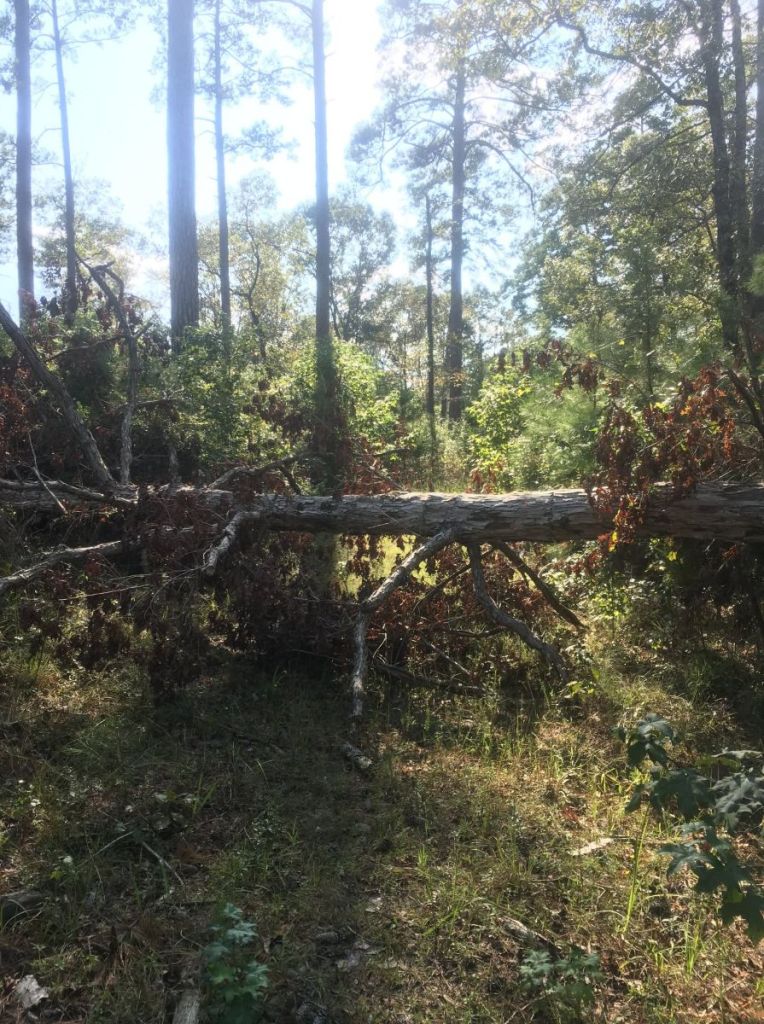
The volunteer maintenance coordinator commented, “Sooooo….much work needs to be done. Heck of a storm.” The data provided was accurate and helpful, but overwhelming. One can’t expect much more from a thru-hiker who is trying to enjoy the trail. Trails are not normally this badly impacted by recent storms, though it happens. Is a more usable report possible from a hike without extra burden on the hiker?
The Need
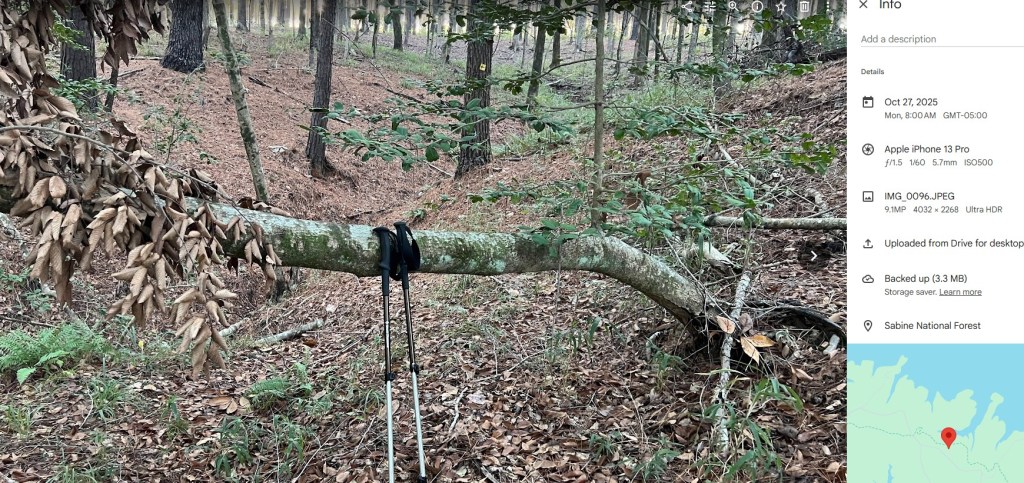
The maintenance team needs (a) the location of each obstacle across the trail and (b) the type or size of each obstacle to determine what equipment is needed. The data needs to be shareable and easily digested. This can be achieved with a strategically taken photo, with GPS location turned on, and something in the picture to provide scale for the largest cut. Turning on the GPS location depends on the device and info on how to can be found online. Sharing the photo by text or email, or uploading to social media, often strips off such location for privacy reasons, significantly impacting the photo’s usefulness. However, uploading directly from the device to a Google Photos album preserves the coordinates. In the example below, the map on the right indicates that the GPS info is embedded in the photo. I’ve been able to keep the GPS info in the photo when transferring it to my PC.
The Opportunity
If a photo is taken of each obstacle on a hike, those photos can be imported together into a Google Photo album, which can then be imported into a custom Google Map. Below is a small section of map that I created. I added the title of the obstacle (e.g., 8-in. Chesthigh) from eyeballing my photo. I learned that my field notes were not useful after the hike, as I had lost their context. It was also very difficult to take notes when it was raining. I also learned to take just one photo per obstacle, as I could not keep track whether the two photos were of two obstacles, or both of the same obstacle. I also uploaded my own GPX track as the trail on the Google Map might not be accurate, or even present.
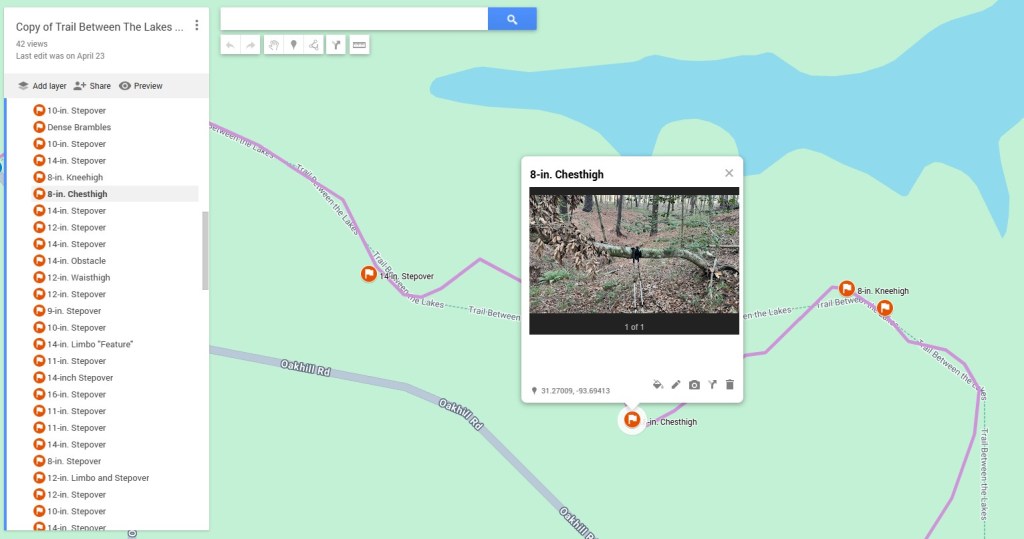
Such information allows efficiency with chainsaws. The sawyer can choose the appropriate size of chainsaw, decide which trailhead to hike in from, and when to turn around. I used this information to access a tree by bushwhacking 100 yards from a road rather than hiking more than a mile from a trailhead. I assessed that many obstacles were small and could be removed by hand saws.
The Map
I tried various ways to collate and present the data, including Gaia maps and excel. I was unable to find a solution better than Google maps that allowed easy sharing with no subscriptions. The Google base map is inadequate for trail navigation, but it is sufficient for maintenance planning. I exchanged emails with a team that successfully used Gaia, and Search and Rescue teams use other solutions, but Google was simple to use.
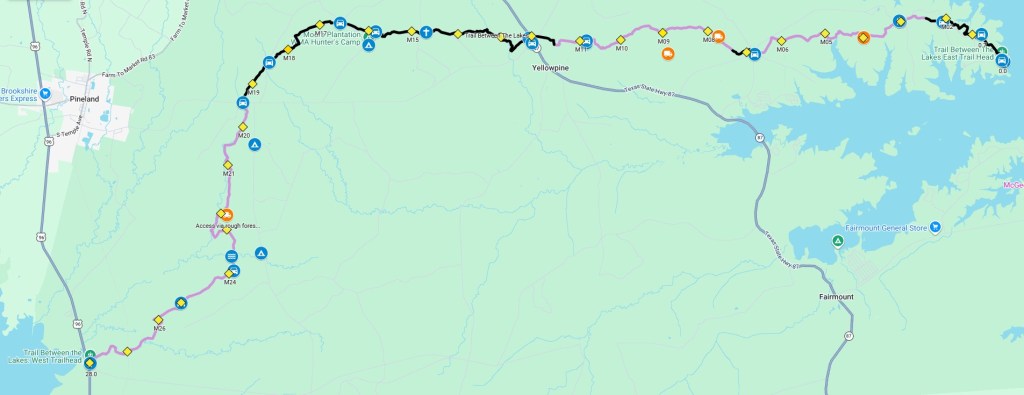
After my second thru-hike of the Trail Between The Lakes, I created the map below.
The yellow diamonds are mileposts. There were over fifty trees obstructing the trail (red flag icons), and I added other icons to help with visualization.
The Result
Over the following two months, I worked with other volunteer maintainers to clear obstacles, either by hand or by chainsaw. We chose to leave some logs in place as water bars to reduce trail erosion. Other than those, we cleared every obstacle that I had identified! I also knew that none of the 500 obstacles reported in 2020 remained!
Even before we finished clearing these, we became aware of new fallen trees across the trail. However, the survey had identified a “project” of clearing obstacles present during my hike, and that had been finished. New trees across the trail are inevitable, and clearing them is part of the next project!
Using the same surveying technique, I photographed every obstacle on the Four C National Recreation Trail during a two-day thru-hike. I was able to easily import photos of the 120 obstacles into Google Maps, which placed them at the correct locations, and I added the tree diameter to the description having eyeballed the photo. I color-coded the worst obstacles black.
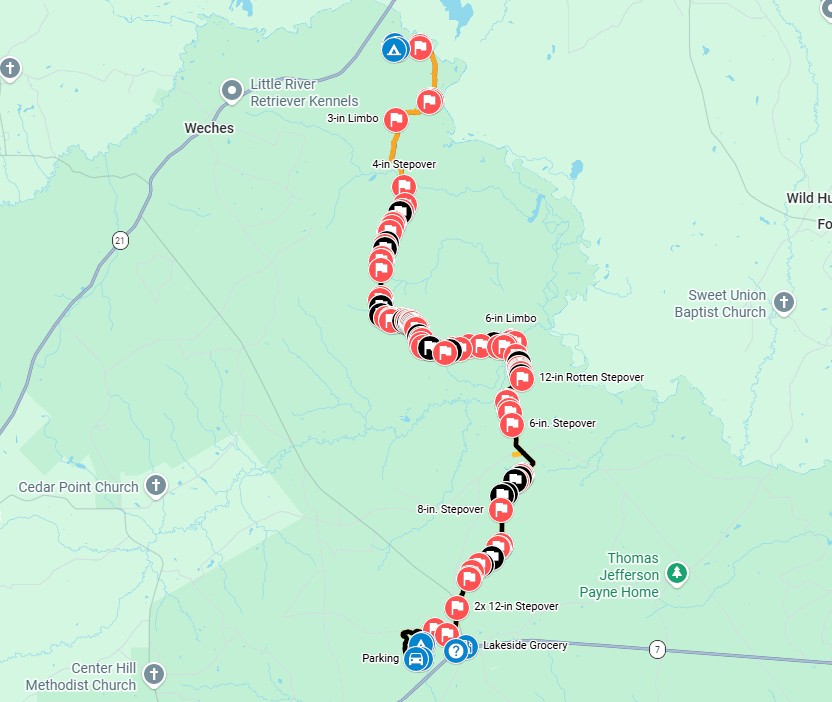
This map highlighted where the maintenance needs were and which sections of the trail were clear. I worked with the volunteer trail maintainers to clear the Four C. Once again, I was highly motivated to complete the task. In a little over two months, we had cleared every identified obstacle!
Below is the lifecycle of an identified obstacle.
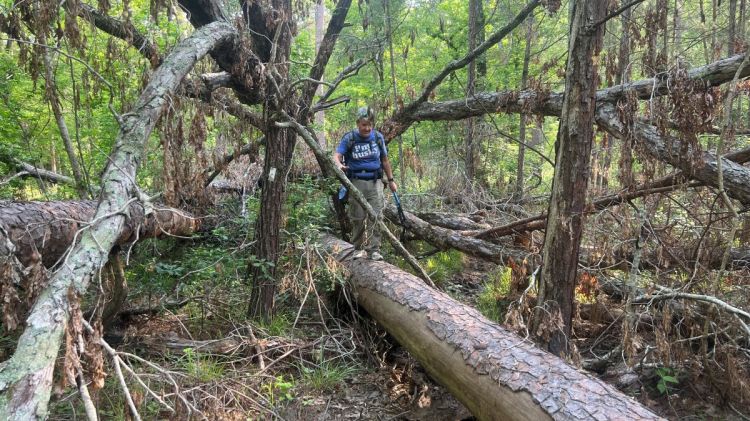

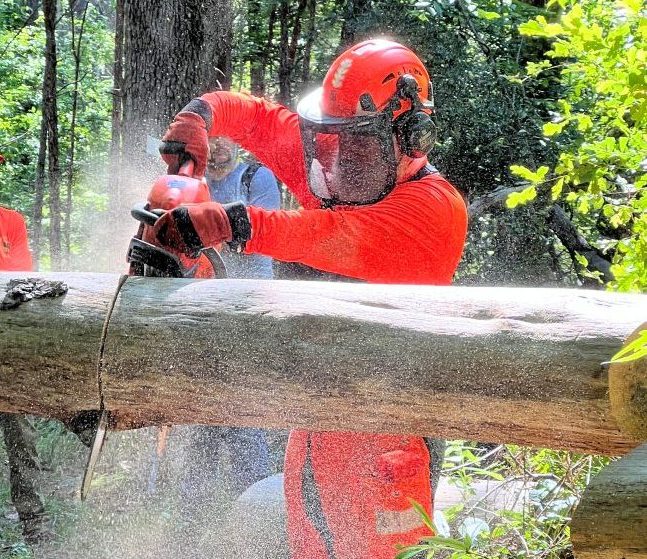
The Challenges
When hiking the trail and surveying, I struggled to find the balance between when to photograph an obstacle and when to clear it. For example, on the Four C trail above, there were as many obstacles that we cleared as we photographed. We could have cleared more of those that we photographed, but we ran out of time and energy. Below is an example of one I cleared rather than photographed. As my buddy Vance says on the video, this is my gym membership!
A second challenge is understanding when a stretch of trail has been cleared. There are different approaches to what to leave. Strategically placed water bars are good for erosion prevention. Chainsaw crews might focus on the big stuff that needs their heavy equipment. When possible, I like to clear even small logs, as they are trip hazards, create extra work for mowing teams, and once cleared, are always cleared! When a chainsaw crew reported that they had cleared a section of trail, I assumed that they had removed all of the obstacles I had previously found.
The Satisfaction
There has been tremendous satisfaction in creating these projects to clear trails that did not have large, active volunteer maintenance teams. Much of that satisfaction comes from working with many great people who coordinate maintenance, lug their chainsaw into the forest, or suffer hiking with me. The map defined an achievable goal that helped focus efforts and define a “complete” state, even if it was just for that season. Clearing fallen trees removes the obstacles that hinder brushblading or mowing. Until next season…

